Run MacOS in Linux with Qemu on secondary GPU
-
david

- Site Admin
- Posts: 422
- Joined: Sat May 21, 2016 7:50 pm
Run MacOS in Linux with Qemu on secondary GPU
How to run MacOS in Linux on secondary GPU using Qemu as emulator and native GPU passed to emulated VM:
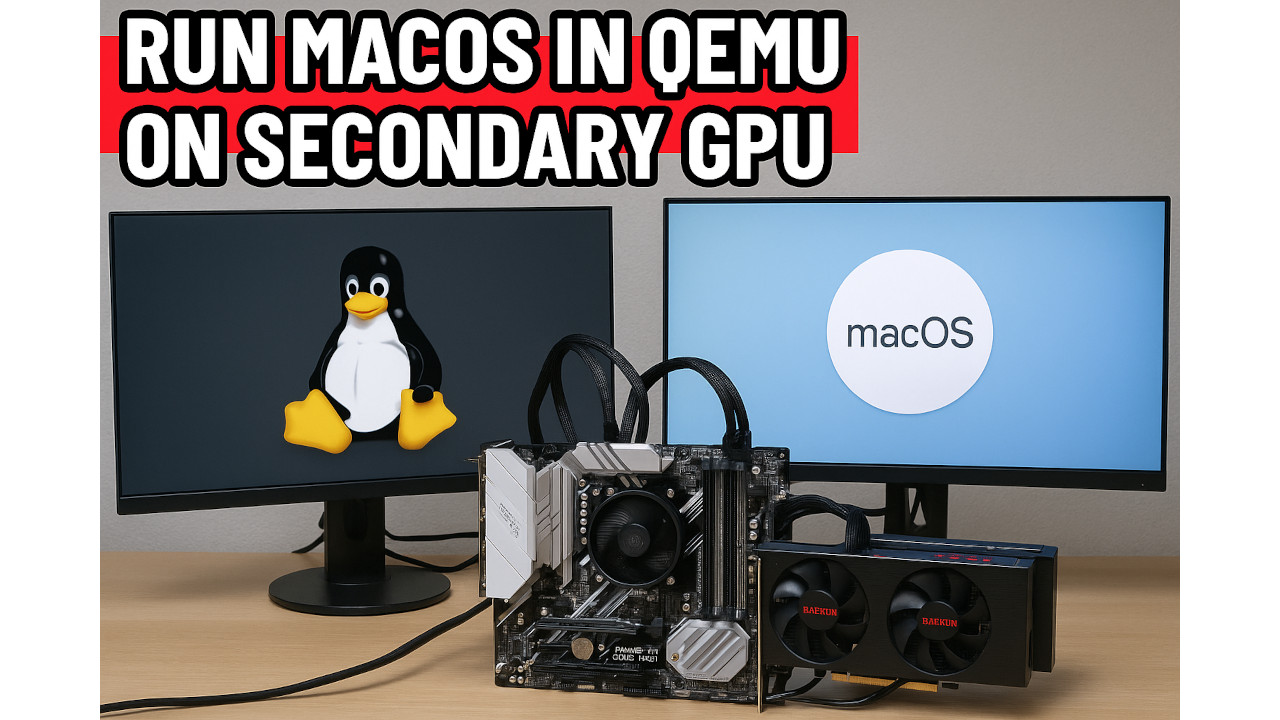
Join our telegram group if you wana chat or have specific questions:
https://t.me/+h2K5CX5jEZA0MWJk
PC test hardware is:
CPU - Ryzen 5950 16 core 32T
Ram - 128GB Ram Kingston 4x32GB 3400Mhz CL16
MB - Asus PRIME X570-PRO
PSU - 850W Seasonic
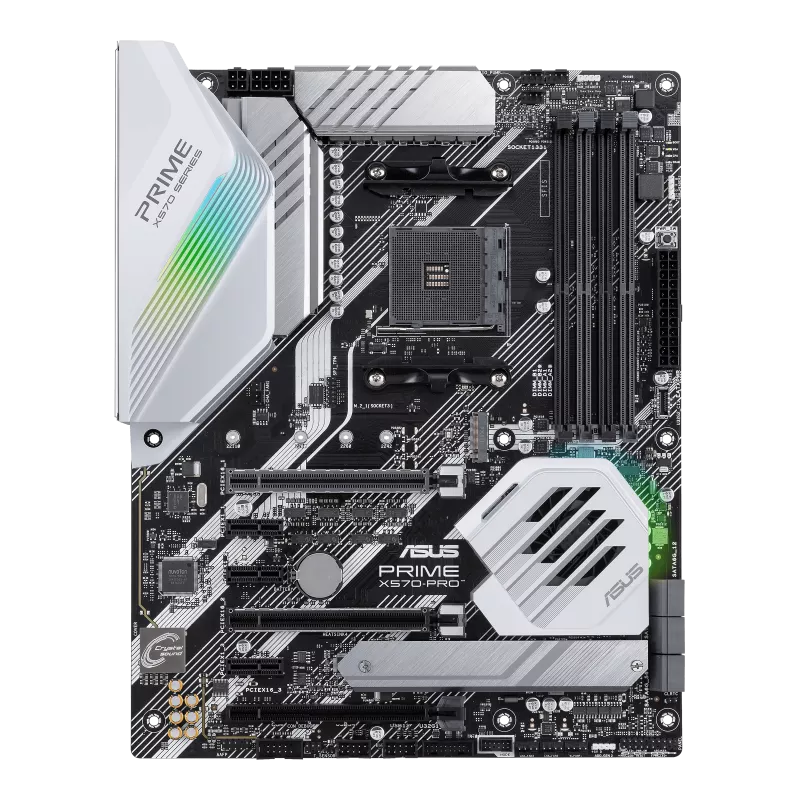
Radeon 560 connected to native linux OS and Radeon 7950 gpu`s passed to the MacOS.
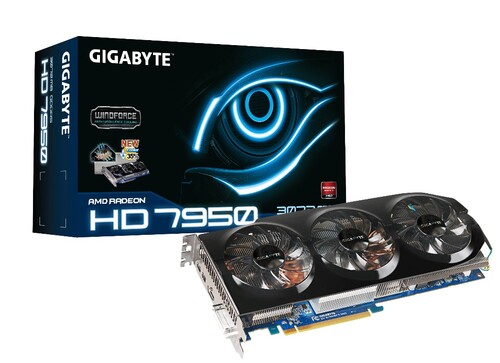
Asus PRIME X570-PRO support 2 x PCIe 4.0 x16 (x16 or dual x8) runing native Devuan (Debian with no SystemD) linux!
You can install qemu on almost any linux distro here in this example i use Devuan linux and qemu 7.2.
Here how lspci -nnk command looks on my PC make sure you put your secondary GPU into vfio mode:
Qemu conig:
Radeon 7950 GPU is 2012 GPU can work in MACOS monterey very good.
To download ready to use Qemu virtual hdd file "mac_hdd_ng.img" enter our telegram group:
https://t.me/+h2K5CX5jEZA0MWJk
Video demonstration of MacOS Monterey running in Qemu.
youtu.be/QVDMa7MuiGg
Join our telegram group if you wana chat or have specific questions:
https://t.me/+h2K5CX5jEZA0MWJk
PC test hardware is:
CPU - Ryzen 5950 16 core 32T
Ram - 128GB Ram Kingston 4x32GB 3400Mhz CL16
MB - Asus PRIME X570-PRO
PSU - 850W Seasonic
Radeon 560 connected to native linux OS and Radeon 7950 gpu`s passed to the MacOS.
Asus PRIME X570-PRO support 2 x PCIe 4.0 x16 (x16 or dual x8) runing native Devuan (Debian with no SystemD) linux!
You can install qemu on almost any linux distro here in this example i use Devuan linux and qemu 7.2.
Here how lspci -nnk command looks on my PC make sure you put your secondary GPU into vfio mode:
Code: Select all
09:00.0 VGA compatible controller [0300]: Advanced Micro Devices, Inc. [AMD/ATI] Tahiti PRO [Radeon HD 7950/8950 OEM / R9 280] [1002:679a]
	Subsystem: Gigabyte Technology Co., Ltd Tahiti PRO [Radeon HD 7950/8950 OEM / R9 280] [1458:254c]
	Kernel driver in use: vfio-pci
	Kernel modules: radeon, amdgpu
09:00.1 Audio device [0403]: Advanced Micro Devices, Inc. [AMD/ATI] Tahiti HDMI Audio [Radeon HD 7870 XT / 7950/7970] [1002:aaa0]
	Subsystem: Gigabyte Technology Co., Ltd Tahiti HDMI Audio [Radeon HD 7870 XT / 7950/7970] [1458:aaa0]
	Kernel driver in use: vfio-pci
	Kernel modules: snd_hda_intel
0a:00.0 VGA compatible controller [0300]: Advanced Micro Devices, Inc. [AMD/ATI] Baffin [Radeon RX 550 640SP / RX 560/560X] [1002:67ff] (rev cf)
	Subsystem: Micro-Star International Co., Ltd. [MSI] Baffin [Radeon RX 550 640SP / RX 560/560X] [1462:8a91]
	Kernel driver in use: amdgpu
	Kernel modules: amdgpu
0a:00.1 Audio device [0403]: Advanced Micro Devices, Inc. [AMD/ATI] Baffin HDMI/DP Audio [Radeon RX 550 640SP / RX 560/560X] [1002:aae0]
	Subsystem: Micro-Star International Co., Ltd. [MSI] Baffin HDMI/DP Audio [Radeon RX 550 640SP / RX 560/560X] [1462:aae0]
	Kernel driver in use: snd_hda_intel
	Kernel modules: snd_hda_intel
Code: Select all
qemu-system-x86_64 \
  -enable-kvm \
  -machine q35,accel=kvm \
  -cpu Haswell,kvm=on,vendor=GenuineIntel,+kvm_pv_unhalt,+kvm_pv_eoi,+hypervisor,+invtsc,+ssse3,+sse4.2,+popcnt,+avx,+avx2,+aes,+fma,+bmi1,+bmi2,+xsave,+xsaveopt,check \
  -smp sockets=1,cores=4 \
  -m 16380 \
  -smbios type=2 \
  -drive if=pflash,format=raw,readonly=on,file=OVMF_CODE.fd \
  -drive if=pflash,format=raw,file=OVMF_VARS-1920x1080.fd \
  -device isa-applesmc,osk="ourhardworkbythesewordsguardedpleasedontsteal(c)AppleComputerInc" \
  -global ICH9-LPC.acpi-pci-hotplug-with-bridge-support=off \
  -device ich9-ahci,id=sata \
  -drive id=MacHDD,if=none,file=mac_hdd.img,format=qcow2 \
  -device ide-hd,bus=sata.1,drive=MacHDD \
  -vga none \
  -netdev user,id=net0,hostfwd=tcp::2222-:22 -device virtio-net-pci,netdev=net0,id=net0,mac=52:54:00:c9:18:27 \
  -device nec-usb-xhci,id=xhci \
  -device usb-host,vendorid=0x248a,productid=0x00da,bus=xhci.0,port=1 \
  -device usb-host,vendorid=0x046d,productid=0xc52f,bus=xhci.0,port=2 \
  -device usb-host,vendorid=0x04ca,productid=0x007d,bus=xhci.0,port=3 \
  -device usb-host,vendorid=0x1058,productid=0x0730,bus=xhci.0,port=4 \
  -device nec-usb-xhci,id=xhci1 \
  -device usb-host,vendorid=0x0b05,productid=0x17cb,bus=xhci1.0,port=1 \
  -device pcie-root-port,id=pcie1,slot=1,chassis=1 \
  -device vfio-pci,host=0c:00.0,bus=pcie1,addr=0x0,multifunction=on,x-no-kvm-intx=on,x-vga=on \
  -device vfio-pci,host=0c:00.1,bus=pcie1,addr=0x1
To download ready to use Qemu virtual hdd file "mac_hdd_ng.img" enter our telegram group:
https://t.me/+h2K5CX5jEZA0MWJk
Video demonstration of MacOS Monterey running in Qemu.
youtu.be/QVDMa7MuiGg
-
david
- Site Admin
- Posts: 422
- Joined: Sat May 21, 2016 7:50 pm
Re: Run MacOS in Linux with Qemu on secondary GPU
Before run the scripts make sure you have:
and then
After that you reboot and run first script to check is all is ok if ok then continue till steap 3.
Python Scripts for GPU pass (Devuan linux 5.0) easy way :
1.gpu_pass_check_step1.py
2.gpu_pass_check_step2.py
3.gpu_pass_check_step3.py
4.gpu_pass_cleanup.sh
Code: Select all
sudo apt update
sudo apt install qemu-system-x86 qemu-kvm ovmf bridge-utils cpu-checker
Code: Select all
sudo nano /etc/modules

vfio
vfio_pci
vfio_iommu_type1
vfio_virqfd
kvm
kvm_intel    # or kvm_amd depending on your CPU

and

sudo nano /etc/initramfs-tools/modules

vfio
vfio_pci
vfio_iommu_type1
vfio_virqfd
kvm
kvm_intel    # If Intel CPU
# kvm_amd     # If AMD CPU (uncomment this and comment out the Intel one if needed)
Code: Select all
sudo update-initramfs -u
Code: Select all
sudo nano /etc/default/grub
Code: Select all
GRUB_CMDLINE_LINUX_DEFAULT="quiet intel_iommu=on iommu=pt"
Code: Select all
update-grub2
After that you reboot and run first script to check is all is ok if ok then continue till steap 3.
Python Scripts for GPU pass (Devuan linux 5.0) easy way :
1.gpu_pass_check_step1.py
Code: Select all
#!/usr/bin/env python3

import os
import subprocess
import gi
gi.require_version("Gtk", "3.0")
from gi.repository import Gtk

class GPUPassApp(Gtk.Window):
    def __init__(self):
        super().__init__(title="Devuan GPU Passthrough Checker")

        self.set_border_width(15)
        self.set_default_size(500, 300)

        self.grid = Gtk.Grid(column_spacing=10, row_spacing=10)
        self.add(self.grid)

        self.status_label = Gtk.Label(label="Running checks...\n")
        self.grid.attach(self.status_label, 0, 0, 1, 1)

        self.refresh_button = Gtk.Button(label="Re-run Checks")
        self.refresh_button.connect("clicked", self.run_all_checks)
        self.grid.attach(self.refresh_button, 0, 1, 1, 1)

        self.run_all_checks()

    def run_all_checks(self, widget=None):
        results = []

        # Root check
        if os.geteuid() != 0:
            self.status_label.set_text("This app must be run as root.\n")
            return

        # Check QEMU
        qemu_check = shutil.which("qemu-system-x86_64")
        results.append(f"QEMU: {'✅ Found' if qemu_check else '❌ Not found'}")

        # Check if vfio-pci is loaded
        vfio_loaded = subprocess.getoutput("lsmod | grep '^vfio_pci'")
        results.append(f"VFIO-PCI module: {'✅ Loaded' if vfio_loaded else '❌ Not loaded'}")

        # Check GRUB cmdline
        try:
            with open("/etc/default/grub", "r") as f:
                grub = f.read()
            if "iommu=pt" in grub or "amd_iommu=on" in grub or "intel_iommu=on" in grub:
                results.append("IOMMU GRUB param: ✅ Present")
            else:
                results.append("IOMMU GRUB param: ❌ Missing")
        except Exception as e:
            results.append(f"GRUB check: ❌ Error - {e}")

        # Check initramfs modules file
        try:
            with open("/etc/initramfs-tools/modules", "r") as f:
                modules = f.read()
            needed = ["vfio", "vfio_pci", "vfio_iommu_type1"]
            for mod in needed:
                status = "✅" if mod in modules else "❌"
                results.append(f"/etc/initramfs-tools/modules: {status} {mod}")
        except Exception as e:
            results.append(f"Initramfs modules check: ❌ Error - {e}")

        self.status_label.set_text("\n".join(results))

if __name__ == "__main__":
    import shutil
    win = GPUPassApp()
    win.connect("destroy", Gtk.main_quit)
    win.show_all()
    Gtk.main()
Code: Select all
#!/usr/bin/env python3

import os
import subprocess
import gi
gi.require_version("Gtk", "3.0")
from gi.repository import Gtk

class GPUSelector(Gtk.Window):
    def __init__(self):
        super().__init__(title="GPU Passthrough - Select GPU")
        self.set_border_width(15)
        self.set_default_size(700, 300)

        self.grid = Gtk.Grid(column_spacing=10, row_spacing=10)
        self.add(self.grid)

        self.label = Gtk.Label(label="Select a GPU for passthrough (audio will auto-select):")
        self.label.set_xalign(0)
        self.grid.attach(self.label, 0, 0, 2, 1)

        self.gpu_liststore = Gtk.ListStore(str, str)
        self.combo = Gtk.ComboBox.new_with_model_and_entry(self.gpu_liststore)
        self.combo.set_entry_text_column(1)
        self.grid.attach(self.combo, 0, 1, 2, 1)

        self.populate_gpus()

        self.apply_button = Gtk.Button(label="Save Selection")
        self.apply_button.connect("clicked", self.save_selection)
        self.grid.attach(self.apply_button, 0, 2, 1, 1)

        self.status_label = Gtk.Label()
        self.status_label.set_xalign(0)
        self.grid.attach(self.status_label, 0, 3, 2, 1)

    def populate_gpus(self):
        lspci_output = subprocess.check_output("lspci -nnk", shell=True, text=True)
        lines = lspci_output.strip().splitlines()

        current_device = {}
        devices = []

        for line in lines:
            if line and not line.startswith("\t") and not line.startswith(" "):
                # New device block
                if current_device:
                    devices.append(current_device)
                current_device = {"header": line, "details": []}
            else:
                current_device.setdefault("details", []).append(line.strip())

        if current_device:
            devices.append(current_device)

        for dev in devices:
            header = dev.get("header", "")
            details = dev.get("details", [])

            if not any(x in header for x in ["VGA compatible controller", "3D controller"]):
                continue

            if any("Kernel driver in use: vfio-pci" in d for d in details):
                continue  # already passed through

            pci_addr = header.split()[0]
            description = header

            self.gpu_liststore.append([pci_addr, description])

    def save_selection(self, widget):
        tree_iter = self.combo.get_active_iter()
        if not tree_iter:
            self.status_label.set_text("❌ No GPU selected.")
            return

        gpu_pci = self.gpu_liststore[tree_iter][0]
        gpu_slot = gpu_pci[:-1] + "0"
        audio_slot = gpu_pci[:-1] + "1"

        def get_pci_id(dev):
            path = f"/sys/bus/pci/devices/0000:{dev}"
            try:
                with open(f"{path}/vendor") as v, open(f"{path}/device") as d:
                    return f"{v.read().strip()[2:]}:{d.read().strip()[2:]}"
            except Exception:
                return None

        ids = []
        for dev in [gpu_slot, audio_slot]:
            pci_id = get_pci_id(dev)
            if pci_id:
                ids.append(pci_id)

        if not ids:
            self.status_label.set_text("❌ Could not detect device IDs.")
            return

        with open("/tmp/vfio-gpu-select.txt", "w") as f:
            for line in ids:
                f.write(line + "\n")

        self.status_label.set_text(f"✅ Saved IDs: {', '.join(ids)}")

if __name__ == "__main__":
    win = GPUSelector()
    win.connect("destroy", Gtk.main_quit)
    win.show_all()
    Gtk.main()
Code: Select all
#!/usr/bin/env python3

import os
import sys
import subprocess

VFIO_CONF = "/etc/modprobe.d/vfio.conf"
BLACKLIST_NOUVEAU = "/etc/modprobe.d/blacklist-nouveau.conf"
BLACKLIST_SND = "/etc/modprobe.d/blacklist-nvidia-hda.conf"
GRUB_CONFIG = "/etc/default/grub"
SELECTED_IDS_FILE = "/tmp/vfio-gpu-select.txt"

def read_selected_ids():
    if not os.path.isfile(SELECTED_IDS_FILE):
        print("No selected PCI IDs found. Please run GPU selection first.")
        sys.exit(1)
    with open(SELECTED_IDS_FILE) as f:
        ids = [line.strip() for line in f if line.strip()]
    return ids

def update_vfio_conf(ids):
    line = "options vfio-pci ids=" + ",".join(ids) + "\n"
    with open(VFIO_CONF, "w") as f:
        f.write("# Auto-generated vfio config for GPU passthrough\n")
        f.write(line)
    print(f"Updated {VFIO_CONF}")

def update_blacklists(ids):
    # Blacklist nouveau for GPU PCI IDs
    with open(BLACKLIST_NOUVEAU, "w") as f:
        f.write("# Auto-generated blacklist for nouveau on selected GPUs\n")
        for pci_id in ids:
            f.write(f"blacklist pci:v0000{pci_id[0:4]}d0000{pci_id[5:9]}*\n")

    # Blacklist snd_hda_intel only for audio PCI IDs (usually second ID)
    with open(BLACKLIST_SND, "w") as f:
        f.write("# Auto-generated blacklist for snd_hda_intel on NVIDIA HDMI audio\n")
        # Assume last id is audio device (works for typical GPU+audio pairs)
        for pci_id in ids[1:]:
            f.write(f"blacklist pci:v0000{pci_id[0:4]}d0000{pci_id[5:9]}*\n")

    print(f"Updated blacklist files: {BLACKLIST_NOUVEAU}, {BLACKLIST_SND}")

def update_grub(ids):
    # Read current GRUB config
    with open(GRUB_CONFIG, "r") as f:
        lines = f.readlines()

    new_lines = []
    for line in lines:
        if line.startswith("GRUB_CMDLINE_LINUX="):
            # Remove existing vfio-pci.ids param if any
            line = line.strip()
            if "vfio-pci.ids=" in line:
                # Remove previous vfio-pci.ids=... segment
                import re
                line = re.sub(r'vfio-pci.ids=[^"\s]*', '', line)
                # Remove any doubled spaces left behind
                line = line.replace("  ", " ")
            # Insert new vfio-pci.ids param before the closing quote
            line = line.rstrip('"') + f" vfio-pci.ids={','.join(ids)}\""
            new_lines.append(line + "\n")
        else:
            new_lines.append(line)

    with open(GRUB_CONFIG, "w") as f:
        f.writelines(new_lines)

    # Update grub
    subprocess.run(["update-grub"], check=True)
    print("Updated GRUB configuration and ran update-grub.")

def main():
    ids = read_selected_ids()
    print(f"Selected PCI IDs: {ids}")

    update_vfio_conf(ids)
    update_blacklists(ids)
    update_grub(ids)

    print("\n✅ Configuration applied! Please reboot your system to enable GPU passthrough.")

if __name__ == "__main__":
    if os.geteuid() != 0:
        print("This script must be run as root.")
        sys.exit(1)
    main()
Code: Select all
#!/bin/bash
# gpu-pass cleanup script - Part 4
# Must be run as root

set -e

VFIO_CONF="/etc/modprobe.d/vfio.conf"
BLACKLIST_NOUVEAU="/etc/modprobe.d/blacklist-nouveau.conf"
BLACKLIST_SND="/etc/modprobe.d/blacklist-nvidia-hda.conf"
GRUB_CONFIG="/etc/default/grub"

echo "[*] Cleaning GPU passthrough configuration..."

# Remove vfio.conf file
if [ -f "$VFIO_CONF" ]; then
    rm -f "$VFIO_CONF"
    echo "Removed $VFIO_CONF"
else
    echo "$VFIO_CONF not found, skipping"
fi

# Remove blacklist files
for file in "$BLACKLIST_NOUVEAU" "$BLACKLIST_SND"; do
    if [ -f "$file" ]; then
        rm -f "$file"
        echo "Removed $file"
    else
        echo "$file not found, skipping"
    fi
done

# Remove vfio-pci.ids=... from GRUB_CMDLINE_LINUX in /etc/default/grub
if grep -q "vfio-pci.ids=" "$GRUB_CONFIG"; then
    sed -i 's/vfio-pci.ids=[^" ]*//g' "$GRUB_CONFIG"
    # Clean double spaces that might occur after removal
    sed -i 's/  / /g' "$GRUB_CONFIG"
    echo "Removed vfio-pci.ids from $GRUB_CONFIG"
else
    echo "No vfio-pci.ids found in $GRUB_CONFIG, skipping"
fi

# Update grub
echo "[*] Updating grub configuration..."
update-grub

echo "[*] Cleanup done. Rebooting system in 5 seconds..."
sleep 5
reboot-
david
- Site Admin
- Posts: 422
- Joined: Sat May 21, 2016 7:50 pm
Re: Run MacOS in Linux with Qemu on secondary GPU
Head Less Qemu miniaml configuration for autostart MacOS monterey with Linux boot.
Add autostart in /etc/rc.local in Devuan linux.
Code: Select all
#!/bin/bash

exec qemu-system-x86_64 \
  -enable-kvm \
  -machine q35,accel=kvm \
  -cpu Penryn,kvm=on,vendor=GenuineIntel,+kvm_pv_unhalt,+kvm_pv_eoi,+hypervisor,+invtsc,+ssse3,+sse4.2,+popcnt,+aes,+xsave,+xsaveopt,chec>
  -smp sockets=1,cores=2 \
  -m 8096 \
  -smbios type=2 \
  -drive if=pflash,format=raw,readonly=on,file=/home/../OVMF_CODE.fd \
  -drive if=pflash,format=raw,file=/home/../OVMF_VARS-1920x1080.fd \
  -device isa-applesmc,osk="ourhardworkbythesewordsguardedpleasedontsteal(c)AppleComputerInc" \
  -global ICH9-LPC.acpi-pci-hotplug-with-bridge-support=off \
  -device ich9-ahci,id=sata \
  -drive id=inst,if=none,file=/home/.../mac_hdd_ng.img,format=qcow2 \
  -device ide-hd,bus=sata.1,drive=inst \
  -vga none \
  -nographic -display none \
  -netdev user,id=net0,hostfwd=tcp::2222-:22 \
  -device virtio-net-pci,netdev=net0,id=net0,mac=52:54:00:c9:18:27 \
  -device nec-usb-xhci,id=xhci \
  -device usb-host,vendorid=0x046d,productid=0xc534,bus=xhci.0,port=1 \
  -device pcie-root-port,id=pcie1,slot=1,chassis=1 \
  -device vfio-pci,host=01:00.0,bus=pcie1,addr=0x0,multifunction=on,x-no-kvm-intx=on,x-vga=on \
  -device vfio-pci,host=01:00.1,bus=pcie1,addr=0x1
Code: Select all
#!/bin/sh -e
#
# rc.local
#
# This script is executed at the end of each multiuser runlevel.
# Make sure that the script will "exit 0" on success or any other
# value on error.
#
# In order to enable or disable this script just change the execution
# bits.

if test -d /etc/boot.d ; then
        run-parts /etc/boot.d
fi
nohup /home/xxx/run_macvm.sh > /tmp/qemu_mac.log 2>&1 &


exit 0
-
david
- Site Admin
- Posts: 422
- Joined: Sat May 21, 2016 7:50 pm
Re: Run MacOS in Linux with Qemu on secondary GPU
Updated version for qemu 10 and MacOS Ventura and Sonoma tested on my new Ryzen 9900x3d PC and as Gpu Radeon RX6600.
youtu.be/S2I86b0S1i8
The idea from this script is to emulate iMac pro 2017:
You need to have your GPU in VFIO mode ready and only replace your gpu address in the script!
#VFIO_DEV
-device pcie-root-port,id=pcie1,slot=0,chassis=1 \
-device vfio-pci,host=03:00.0,bus=pcie1,multifunction=on \
-device vfio-pci,host=03:00.1,bus=pcie1,addr=0x0.1 \
#VFIO_DEV_END
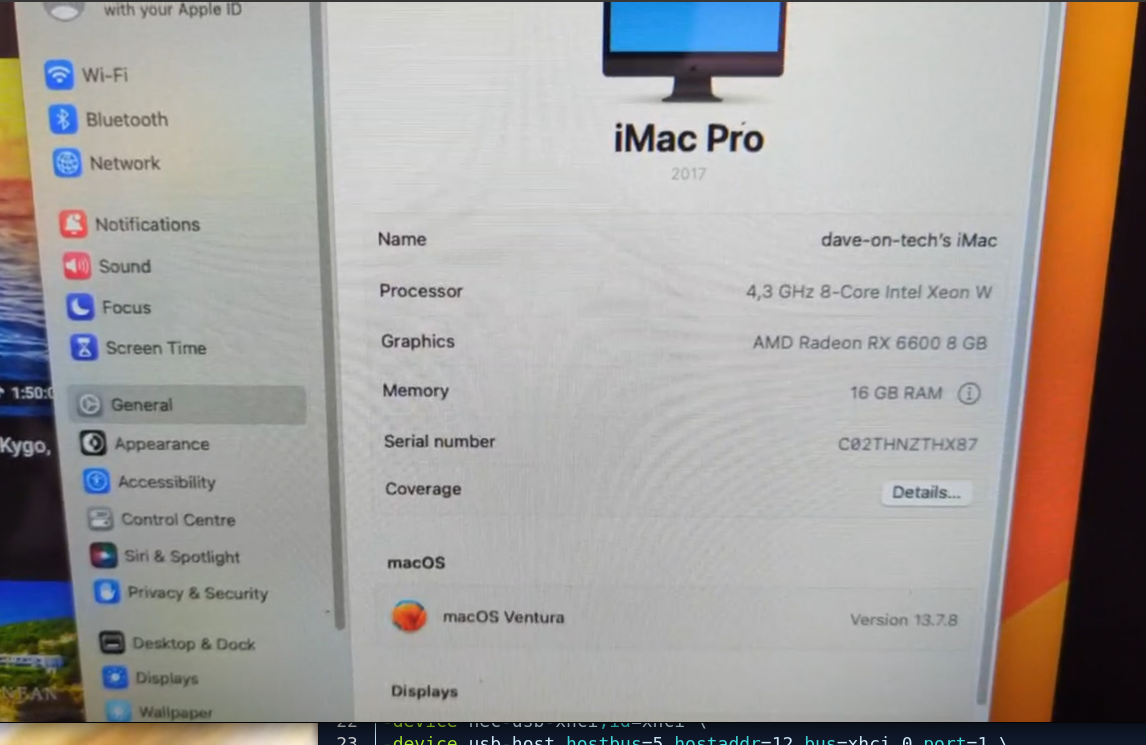
To download ready to use Qemu virtual hdd file "HDD.qcow2" or only EFI for qemu RX6600 enter our telegram group:
https://t.me/+h2K5CX5jEZA0MWJk
Wana reinstall by yourself ? add this:
BaseSystem.img is your MacOS restore image!
All this is running on void linux to learn more how to install Void linux qemu and make your GPU in VFIO mode visit link below!
viewtopic.php?t=318&sid=6b898c9a9299eb9 ... d2d13a91e9
youtu.be/1PB6gxG6yYk
youtu.be/S2I86b0S1i8
The idea from this script is to emulate iMac pro 2017:
You need to have your GPU in VFIO mode ready and only replace your gpu address in the script!
#VFIO_DEV
-device pcie-root-port,id=pcie1,slot=0,chassis=1 \
-device vfio-pci,host=03:00.0,bus=pcie1,multifunction=on \
-device vfio-pci,host=03:00.1,bus=pcie1,addr=0x0.1 \
#VFIO_DEV_END
Code: Select all
#!/usr/bin/env bash

ALLOCATED_RAM="16G"
CPU_SOCKETS="1"
CPU_CORES="8"
CPU_THREADS="2"
CPU_MODEL="Skylake-Server"
CPU_FEATURE_ARGS="+avx512f,+avx512dq,+avx512cd,+avx512bw,+avx512vl,-rtm,-hle,-pcid"

NETWORK_DEVICE="virtio-net"
MAC_ADDRESS="00:16:cb:00:21:09"

args=(
-global ICH9-LPC.acpi-pci-hotplug-with-bridge-support=off
-enable-kvm -m "$ALLOCATED_RAM" -cpu "$CPU_MODEL",kvm=on,vendor=GenuineIntel,model=0x5E,+invtsc,vmware-cpuid-freq=on,"$CPU_FEATURE_ARGS"
-machine q35
-boot menu=on,splash-time=0
#-device usb-ehci,id=ehci
#-device qemu-xhci,id=xhci
#USB_DEV
-device nec-usb-xhci,id=xhci \
-device usb-host,hostbus=5,hostaddr=12,bus=xhci.0,port=1 \
-device usb-host,vendorid=0x0b05,productid=0x17cb,bus=xhci.0,port=1,port=2 \
#CPU
-smp threads="$CPU_THREADS",cores="$CPU_CORES",sockets="$CPU_SOCKETS"
#VFIO_DEV
-device pcie-root-port,id=pcie1,slot=0,chassis=1 \
-device vfio-pci,host=03:00.0,bus=pcie1,multifunction=on \
-device vfio-pci,host=03:00.1,bus=pcie1,addr=0x0.1 \
#VFIO_DEV_END
-device isa-applesmc,osk="ourhardworkbythesewordsguardedpleasedontsteal(c)AppleComputerInc"
#Bios
-drive if=pflash,format=raw,readonly=on,file=OVMF_CODE.fd
-drive if=pflash,format=raw,file=OVMF_VARS_PT.fd
-smbios type=2
#NVME
-drive id=nvme0,file=HDD.qcow2,if=none,format=qcow2,cache=writeback
-device nvme,drive=nvme0,serial=mac-nvme,bootindex=1
#Network
-netdev user,id=net0,hostfwd=tcp::2222-:22
-device "$NETWORK_DEVICE",netdev=net0,id=net0,mac="$MAC_ADDRESS"
#-device qxl-vga,vgamem_mb=128,vram_size_mb=128   # DISABLED VFIO-PCI is active
-monitor stdio
-display none
-vga none
)

qemu-system-x86_64 "${args[@]}"
To download ready to use Qemu virtual hdd file "HDD.qcow2" or only EFI for qemu RX6600 enter our telegram group:
https://t.me/+h2K5CX5jEZA0MWJk
Wana reinstall by yourself ? add this:
Code: Select all
#Sata Install image
-device ich9-ahci,id=sata
-drive id=BaseSystem,if=none,file=BaseSystem.img,format=raw
-device ide-hd,bus=sata.1,drive=BaseSystemAll this is running on void linux to learn more how to install Void linux qemu and make your GPU in VFIO mode visit link below!
viewtopic.php?t=318&sid=6b898c9a9299eb9 ... d2d13a91e9
youtu.be/1PB6gxG6yYk
You do not have the required permissions to view the files attached to this post.
-
david
- Site Admin
- Posts: 422
- Joined: Sat May 21, 2016 7:50 pm
Re: Run MacOS in Linux with Qemu on secondary GPU
If we want to compare with original iMac pro 2017 here is good video how it performs:
youtu.be/KcNtH76gs8o
youtu.be/KcNtH76gs8o